approvals-ui
The approval workflow screen, as shadcn-style components for . Quorum gates, amount thresholds, a policy lint that knows what segregation of duties means, and plain-language editing where a human reviews the diff before anything lands.
▶︎
One command. The code lands in your project, with its dependencies resolved. It is yours to edit.
Prefer a namespace? Add the registry once to your components.json:
Add it with your AI agent
Paste this into Claude Code, Cursor, or any coding agent (also one click away in the ):
Why this exists
React Flow gives you a canvas. gives you generic workflow chrome. But an approval workflow is not a generic graph: it has approvers who can be unassigned, gates that need 2 of 3 signatures, thresholds that route a $60k request differently from a $600 one, and rules a reviewer expects the screen to enforce, like nobody approving twice on the same path.
Every procurement, AP, expense, or access-request product rebuilds this exact screen. This registry is that screen, extracted from a real one: , where an agent derives the approval workflow from a client's HRIS and the user maintains it in plain language.
What you get
workflow-canvas pulls the nodes and the core with it. Add the panels if you want the full screen.
The policy model
A policy is a DAG of steps. Execution enters at roots, follows next edges, and ends at
terminal steps. Every step carries a when guard; a step whose condition is false for a given
request is skipped. Conditions live on steps, not edges, so the graph stays legible and the
diff stays small.
Render it:
The policy lint
validatePolicy runs deterministic rules in two severities. Errors mean the graph is broken
and should block activation. Warnings mean it works but breaks an approval best practice, so a
human should look.
Errors: duplicate-step-id · dangling-edge · no-roots · unknown-root · cycle ·
unreachable-step · no-terminal · no-approved-terminal · approved-terminal-unreachable ·
quorum-invalid
Warnings: unresolved-approver · duplicate-gate · quorum-ignored ·
no-approval-before-terminal · single-approver-high-value (a path above the materiality
threshold with fewer than two gates) · segregation-of-duties (the same person approving twice
on one path)
Editing: ops, not regeneration
A proposer never rewrites the policy. It emits one small EditOp (set-threshold,
add-approver, insert-approval-after, remove-step, ...) and applyEditOp applies it
deterministically, copying everything unrelated verbatim. The diff you review is exactly what
the op touched. Two ops, none and clarify, let a proposer decline or ask instead of
guessing.
The playground ships with a deterministic demo parser, so the edit panel works with no model and no API key. In production, swap it for an LLM:
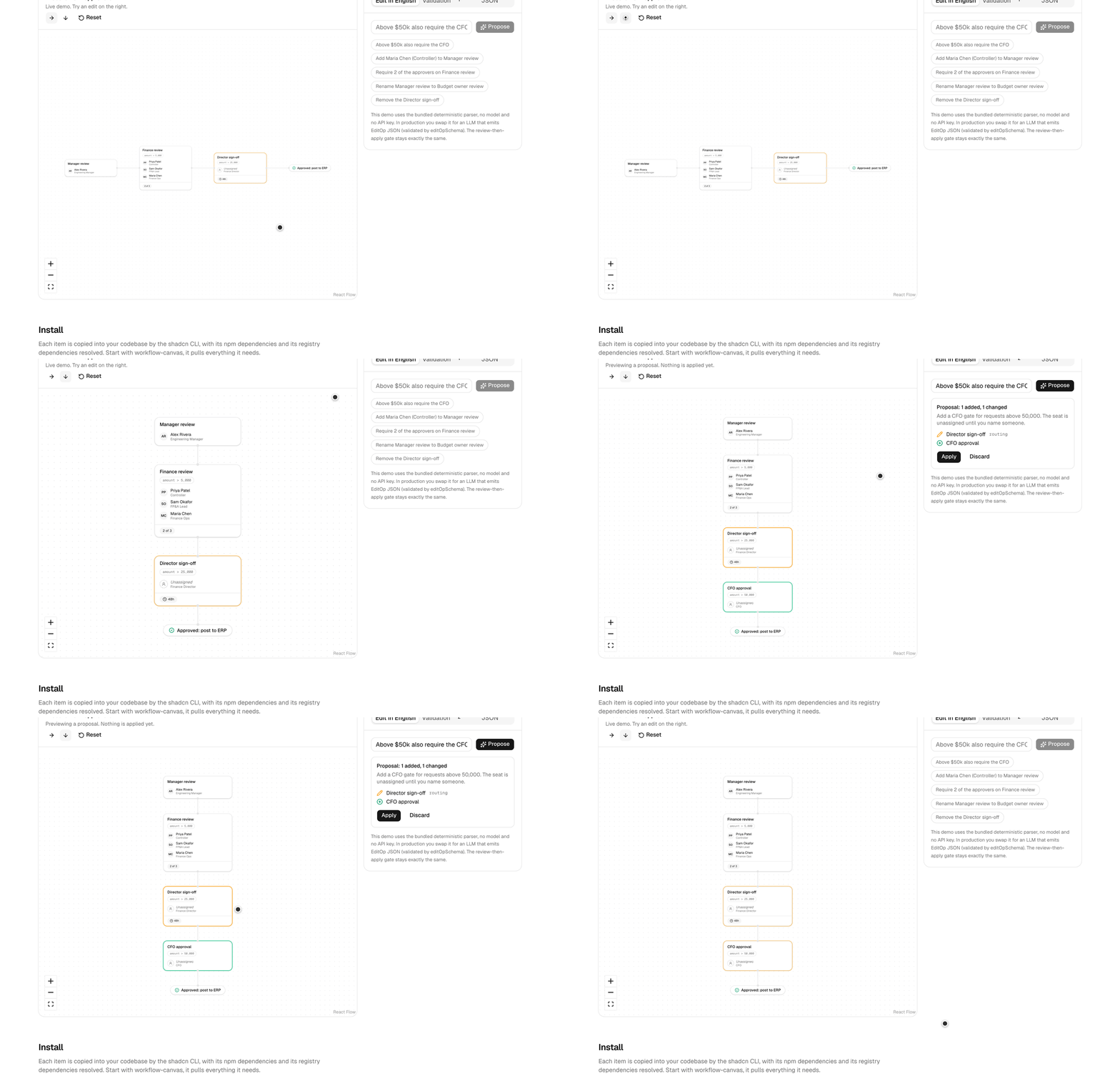
The NlEditPanel UI does not change. The human gate does not change either: the proposal is
rendered as a diff on the canvas, and nothing lands until Apply is clicked. If you are building
agents that touch approval chains, that review step is the point.
Design decisions
- Conditions are guards on steps, not edges. Fewer objects to manage, smaller diffs, and the graph reads top to bottom like the policy document it replaces.
- The lint is code, not a model. Segregation of duties and single-approver-on-high-value are checked deterministically, the same way every run.
- Edits are reviewable by construction. Ops are small and typed, so the diff is always the full story of a change.
- You own the code. This is a registry, not a package. Fork the semantics where your domain disagrees.
Development
Credits
Built by , freelance AI full-stack engineer (ex-Pivot, procurement fintech). I build approval workflows, AP automation, and production agent systems for fintech teams, on contract.
Extracted from . Layout by . Built on and .
MIT